Color Burst™ is a selective desaturation utility for iPhone. Though the idea at the core of Smart Solution’s app is the same as the one of almost all other color splash apps in the App Store — how many of them are there, by the way? –, Color Burst™ has some significant flaw that makes it not enjoyable and user-friendly.
Main Features
- Full resolution available;
- 3 painting modes (color, hue, gray);
- 3 hues to recolor photos;
- 4 brush sizes;
- Invert;
- Pan and zoom;
- Undo.
Appotography Opinion
Color Burst™ allows applying color splashing on photos from your iPhone. From the main screen, you load your photo to the edit panel and select one among the three available painting modes (Color, Hue or Gray): Gray desaturates areas of your image you select by finger painting over them, while Color brings the original colors back.
Other than these two methods, you can choose Hue, which lets you apply a new hue to your photo. It looks like right now you only have three basic hues to choose from: red, green and blue. This is so silly that it is almost surreal; at any rate, I couldn’t find a color picker or any other way to select any other hue other than these three.
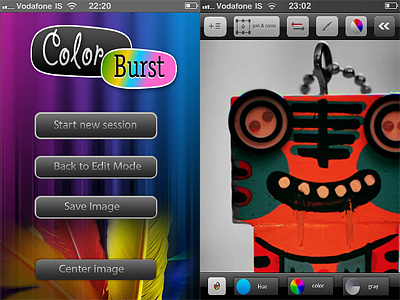 Using a special button, you can invert colored and black and white areas with one tap. If you make mistakes, you can undo. For more control, you can pan and zoom and, from the main screen, you can reset your image’s position by placing it back at the center of the edit panel. In border mode, you enable a mask preview for a better idea of what areas you are affecting while painting.
 With no doubt, Color Burst™ has some serious issues. Compared to other selective desaturation apps we have reviewed (like, for example, Colorize and ColorSplash, both easy and fun to use), Color Burst™ is probably the less intuitive, stable and flexible. UI and features are elementary, tools available are few, adjustments you can make are very limited. Using this app feels so awkward, especially finger painting doesn’t feel comfortable and accurate enough on larger images and without the ability to freely resize your brush. The lack of tips or in-app manual doesn’t help, especially if you have not tried other similar apps before. Since I have tried Color Burst™ on 3GS only, I cannot say how much better it can get on iPhone 4. Anyhow, in my experience, this app is also crash prone. Considering you cannot restore from previous sessions, it’s not unlikely you’ll have to start over if anything happens while editing.
As I see it, Color Burst™ is definitely not even remotely the best option if you simply want to add, change or remove color selectively from your images.
Color Burst™ is currently on sale: you can download it for free for a limited time.
Overall
Name: Color Burst™
Developer: Smart Solutions
Compatibility: iPhone, iPod Touch, iPad. iOS 3.0 or later.
Price: £0.59||$0.99||€0.79
Vote: 2/5




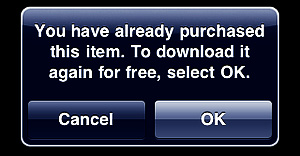 Other apps have a feature called “Restore Purchases”. This may look confusing when you read it, but restoring simply re-downloads or unlocks all the content you have paid for, without having to go through the process of manually selecting several items and downloading them individually. Restore is especially useful in apps where there are multiple in-app items that can be purchased. Not all apps featuring in-app purchases include a Restore Purchases action, but some do.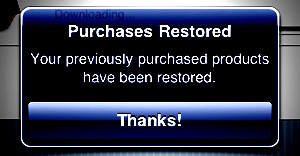


 Additionally, a wide selection of effects is also available, ranging from black and white to artistic filters and from frames to textures. The effects are grouped into eight different categories (Art, Vintage, Grunge, BW, etc.). For each, you can set the strength with a slider and choose to apply it on the whole photo or only selectively with a mask.
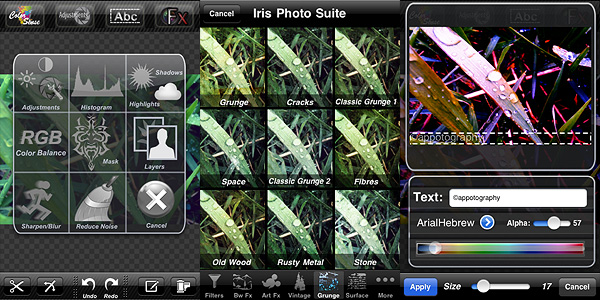 Even though the app is quite user-friendly (most actions are performed simply by dragging the sliders’ knobs and you always have a clear preview of what’s going on), some features are not easy to figure out from the very beginning. Layers management and masking can be hard to get used to at first, not for the actual difficulty in controlling them, but rather for learning how they exactly work.
 Iris Photo Suite is one of the most complete apps for photographic enhancement and editing available in the App Store. Although recently some competitors (
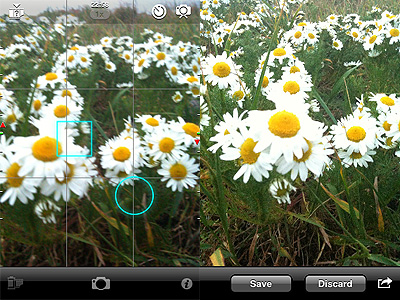 To set focus and exposure, you can either double tap to enable both cursors at the same time or you can tap and hold once for focus and tap and hold twice for exposure. By dragging the cursors around the screen area, you determine each parameter’s value.

 The new addition to Hipstamatic’s lens collection was done in collaboration with photographer