
 iSupr8 2.0 is out. New features and a few extras are part of the latest major update for this iPhone and iPad video maker which simulates the look of the old Super 8 format (our full review can be found here). Let’s see what’s new in version 2.0 in detail.
First of all, iSupr8 now offers more editing options. There are four new film simulations that you can purchase (each for $0.99/€0.79/£0.69) + an extra film coming for free with version 2.0:
- Prime-X B&W – Low contrast black and white with subtle sepia tint, for a suggestive and timeless look.
- PenneMaker B&W – High contrast black and white inspired by the rough and extreme documentary style of the 60’s.
- VibraChrome 40 – Warm color effect with red hue in shadows, especially suited for sunny days.
- SuprCrome 40 – Slightly desaturated color effect with a touch of magenta.
- Levi’s Film Workshop (free) – Color effect with a bold indigo hue for emphasizing blues.
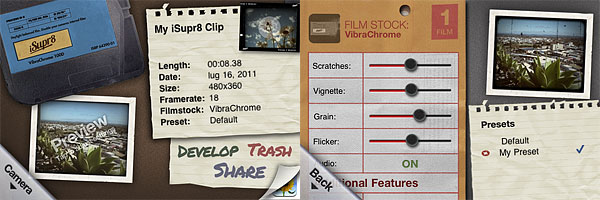 Every effect has adjustable settings which are accessible by tapping on the ‘preview’ thumbnail in the app’s development area. You can set vignette, noise, flicker and scratch strength, disable/enable audio, film burn and frame. Your customized settings can be saved as presets.
Among other new features, a revamped design, a selection of FPS rates (12, 18, 24) and improved sharing and community integration (make sure though you have read the Terms of Service and you agree with them before you share via iSupr8 community).
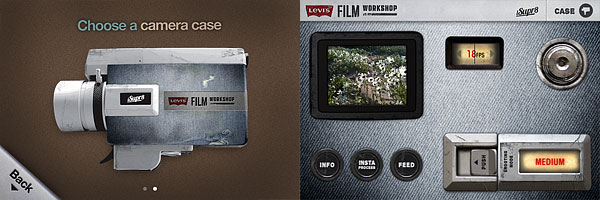 It’s also possible to choose a camera case among the ones available. Currently there are two choices, the standard black case and the special Levi’s themed edition case.
Last but not least, as mentioned above, iSupr8 is currently free in the App Store for a limited time, thanks to Levi’s Film Workshop sponsorship.
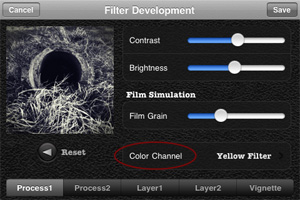
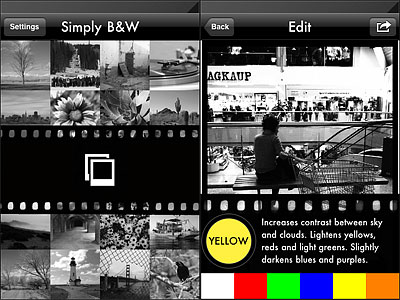 Colored filters are what mostly affect the look of your black and white photo, since the way the final image will look like depends primarily on color channel settings. By applying a color filter, you pass the color which the filter is named after and block all the others. Filters available in Simply B&W are red, green, blue, yellow and orange, which is, basically, all you need in photography to produce good looking black and white.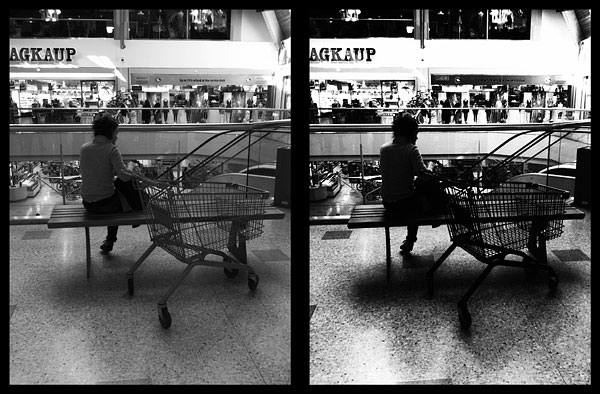


 In Cameramatic 1.3.0 you will also find two new filters, Slide and Cross Processing 2. Slide is an addition to Cameramatic’s Standard filter collection, while Cross Processing 2 is included in the XPro selection.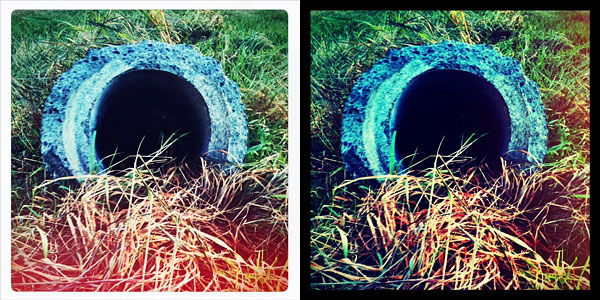
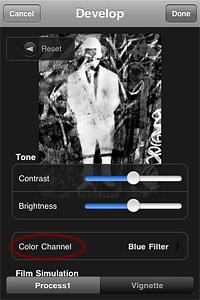 Monochromia 1.5 finally offers a color channel feature, for greater flexibility and better conversion from color to black and white. The possibility to apply filters for individual color channels makes a huge difference. From Monochromia’s developing area, you can now access the color channel settings. Other than red, green, blue, yellow, and orange filters, it’s possible to select normal grayscale and maximum channels.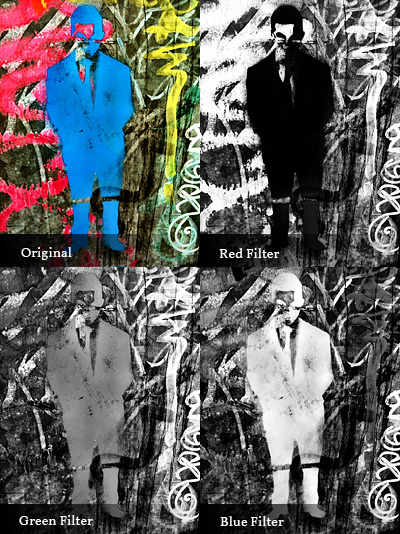
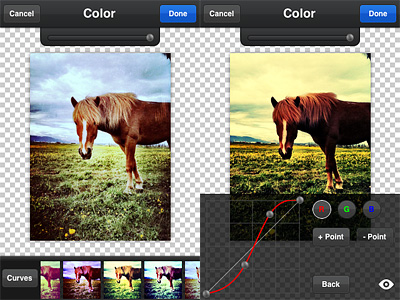 Overlays enables layer blending (12 modes available in all). A selection of presets can help you to get started or to get things done quickly, but you can also load images from your own device, like textures for example, and blend them all. Effects consists of several presets arranged into categories, Antique and Color. If you want more freedom, instead of picking a preset, you can play with the curves editor and build your own colored filters from scratch. PicTools also offers a randomize feature: as its name suggest, Quick uses a random combination of effects and overlays for a speedier editing. For both Overlays and Effects — and also for the Quick feature, that combines the two — you can set opacity, for a subtler or more intense result. By adding a border, which you can filter over as well for a more consistent look, you can add a final touch before saving. Among the other things, it’s possible to save photos in a square format with a black or white background: Instagram users will undoubtedly know how to take advantage of this option.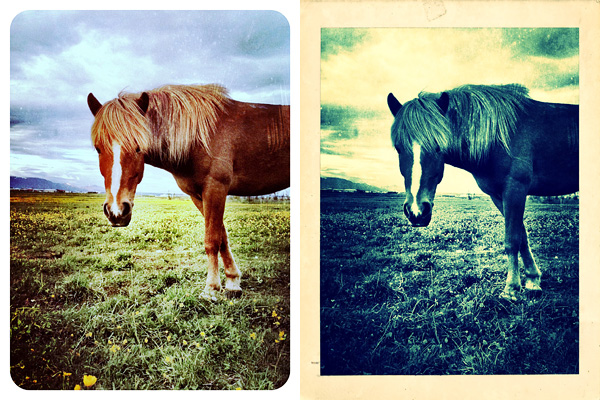
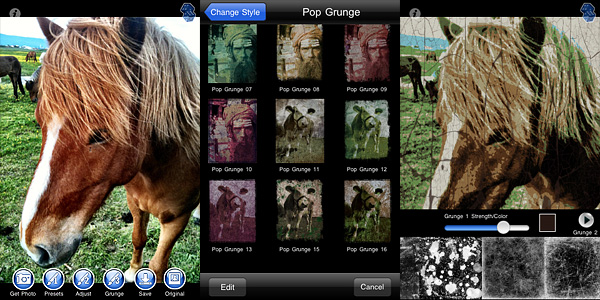 Grunge textures and borders are the same for all style categories. You can apply two separate levels of grunge (two different textures, that is) and a border on the same image and set individually their opacity and color.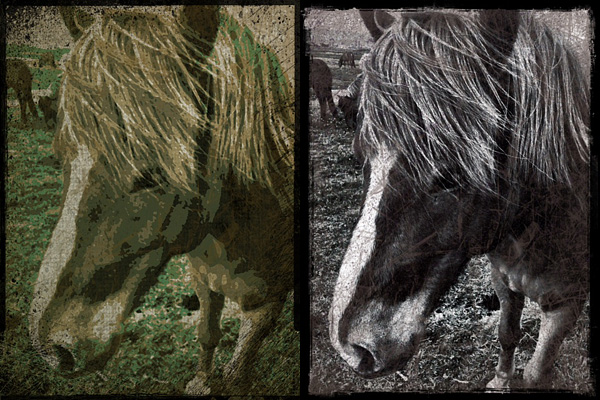

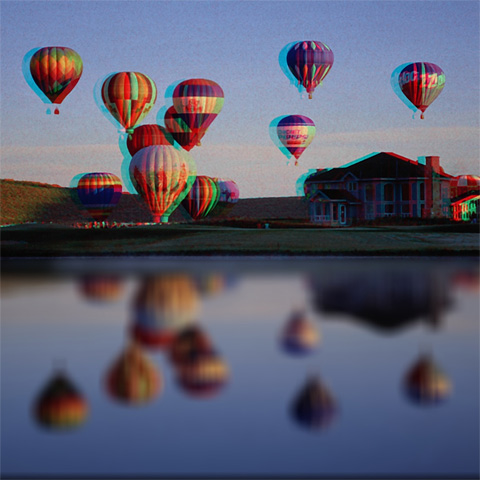

 With the update to version 2.1.0,
  TiltShift Generator