
Even photos that at first glance might look defective can be given a new life with proper editing. Editing often simply means adequate cropping. Gyro Cropper by FANG is a specialized iPhone/iPad/iPod Touch utility to perform easy cropping on images.
Main Features
- Full resolution available;
- 3 cropping tools;
- Rotate;
- Adjust aspect ratio;
- In-app guide;
- Send to Squaready or Instagram.
Appotography Opinion
Gyro Cropper offers a simple and effective way to crop photos. The app comes with a set of tools, allowing users to crop and adjust images with the minimum effort.
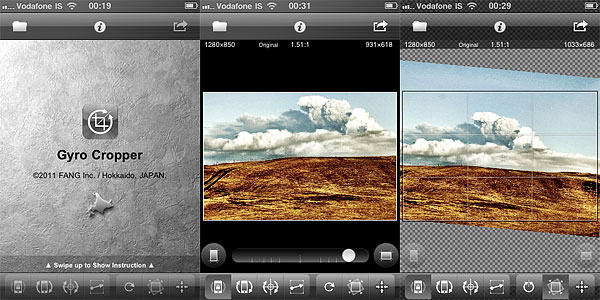 Rotate by Device Posture calculates cropping thanks to the device’s position. By rotating the device, the user gives the app all the necessary indications without having to touch the screen. This tool is especially convenient in instances in which covering the screen with fingers may cause inaccurate results. Although at first it might take some time getting used to, Rotate by Device Posture is not hard to use. In this mode, the app relies on methods that entirely depend on the device’s capabilities to figure out cropping: on iPhone 4, iPod Touch 4th and iPad 2, Gyro Cropper uses the gyroscope, on iPhone 3GS and iPad both the accelerometer and the compass, while on iPhone 3G and iPod Touch 2nd and 3rd it uses the accelerometer only. Thus, user experience may vary according to the device you are using. Rotate by Device Posture is in any case the most interesting element in Gyro Cropper.
Rotate by Finger Tapping is more of a classic tool, relying on finger rotation to determine cropping. A number of apps come with similar tools to perform cropping.
Rotate by Drawing a Line is basically a straightening tool and thus it is useful to fix crooked images, especially landscapes. By drawing a line on the photo, the user tells the app how cropping should be performed. A few apps offer this kind of cropping instrument.
Additionally, aspect ratio and rotate by 90 degrees are included to broaden the available possibilities. Both are common in apps that support cropping.
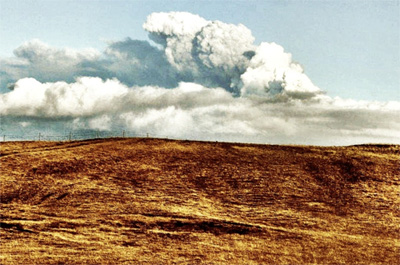
Gyro Cropper is great for photos in need of quick cropping and for fixing crooked images. FANG’s app is better than most cropping features that come with the majority of do-it-all editors. The app is easy enough to use and its workflow is very smooth. Although flip and rotate by degrees could come in handy in some instances, this app is pretty much a flexible aid for most cropping needs. While people using older devices may encounter issues with less accurate results now and then, iPhone 4/iPod Touch 4th/iPad users will enjoy Gyro Cropper at its full potential.
Gyro Cropper is currently on sale and available in the App Store at the special launch price of $0.99/€0.79/£0.69.
Overall
Name: Gyro Cropper
Developer: FANG Inc.
Compatibility: iPhone, iPod Touch, iPad. iOS 4.0 or later.
Price: £1.19||$1.99||€1.59
Vote: 4/5

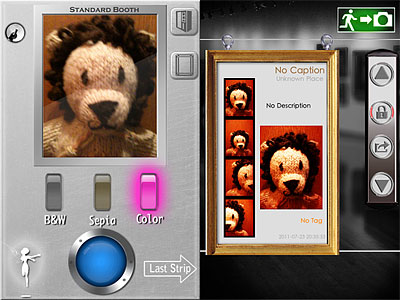 A collection of 6 additional special effects are available with the Memory Booth (in-app purchase: $0.99/€0.79/£0.69). Memory effects revolve around a general vintage look, but they are quite varied and range from high contrast black and white to aged paper. From the in-app settings, it’s possible to choose a border style among black, white and gray.
 FX Photo Studio
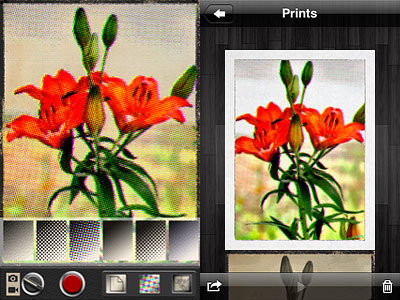 There are in total 6 paper textures and 6 halftone styles to choose from. Halftone, which includes both color and monochrome effects, applies different patterns (dots, diamonds, crosshatch and lines) to still images and videos. Papers not only add texture and, in a few instances, a border, but also color presets for giving different tints to monochrome effects.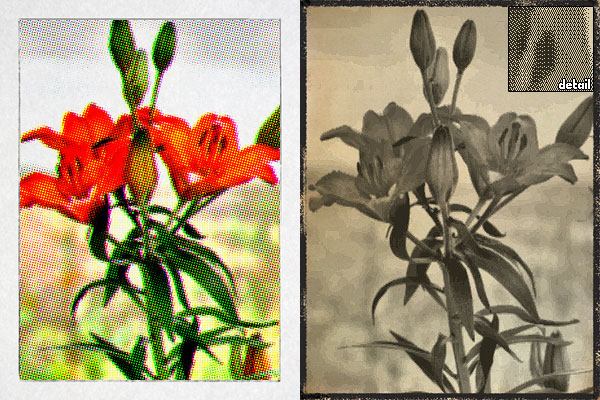
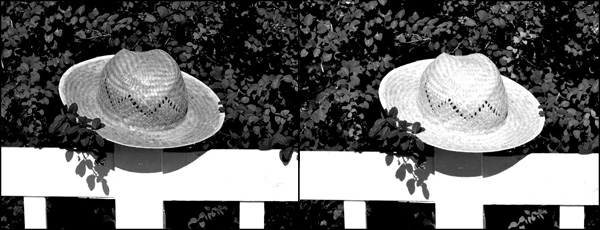
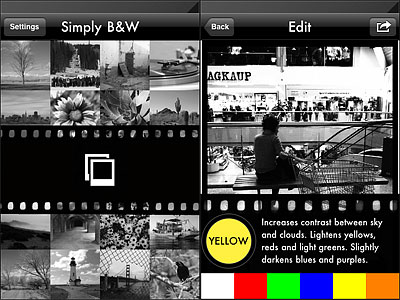 Colored filters are what mostly affect the look of your black and white photo, since the way the final image will look like depends primarily on color channel settings. By applying a color filter, you pass the color which the filter is named after and block all the others. Filters available in Simply B&W are red, green, blue, yellow and orange, which is, basically, all you need in photography to produce good looking black and white.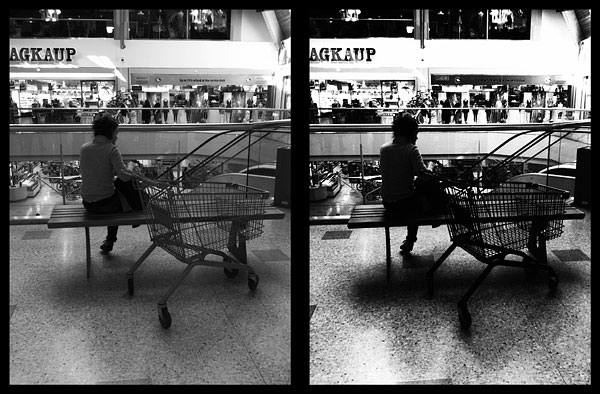
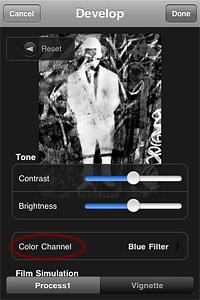 Monochromia 1.5 finally offers a color channel feature, for greater flexibility and better conversion from color to black and white. The possibility to apply filters for individual color channels makes a huge difference. From Monochromia’s developing area, you can now access the color channel settings. Other than red, green, blue, yellow, and orange filters, it’s possible to select normal grayscale and maximum channels.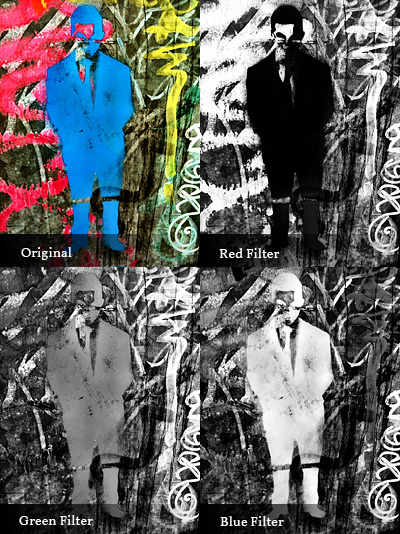
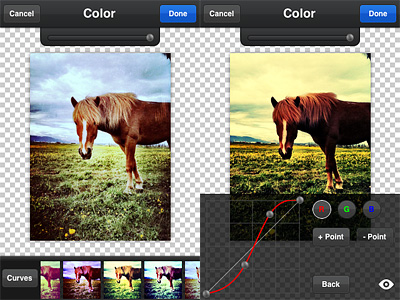 Overlays enables layer blending (12 modes available in all). A selection of presets can help you to get started or to get things done quickly, but you can also load images from your own device, like textures for example, and blend them all. Effects consists of several presets arranged into categories, Antique and Color. If you want more freedom, instead of picking a preset, you can play with the curves editor and build your own colored filters from scratch. PicTools also offers a randomize feature: as its name suggest, Quick uses a random combination of effects and overlays for a speedier editing. For both Overlays and Effects — and also for the Quick feature, that combines the two — you can set opacity, for a subtler or more intense result. By adding a border, which you can filter over as well for a more consistent look, you can add a final touch before saving. Among the other things, it’s possible to save photos in a square format with a black or white background: Instagram users will undoubtedly know how to take advantage of this option.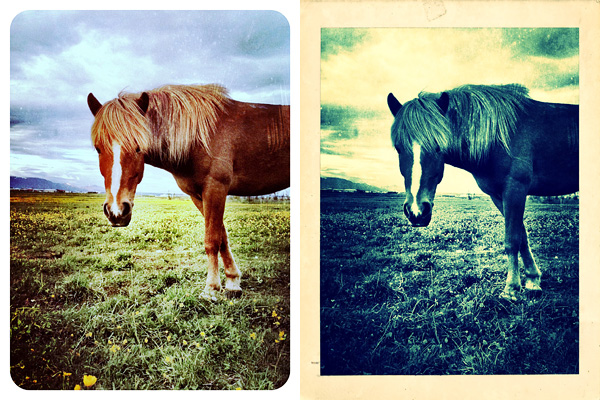
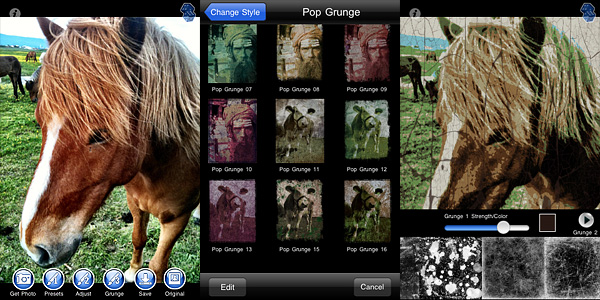 Grunge textures and borders are the same for all style categories. You can apply two separate levels of grunge (two different textures, that is) and a border on the same image and set individually their opacity and color.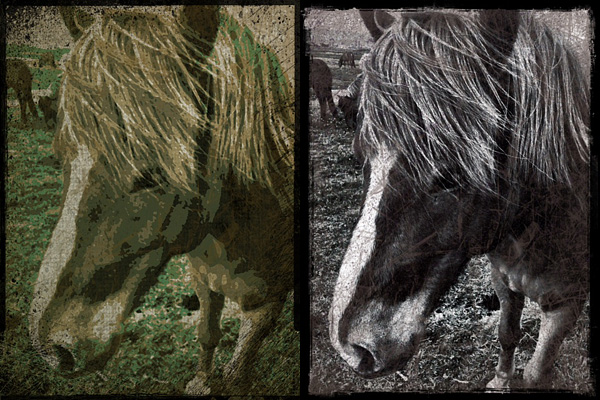
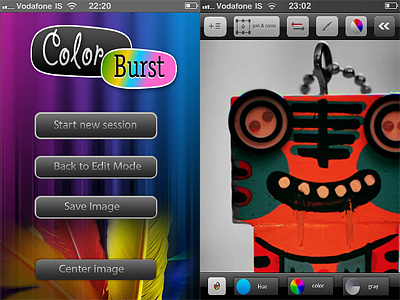 Using a special button, you can invert colored and black and white areas with one tap. If you make mistakes, you can undo. For more control, you can pan and zoom and, from the main screen, you can reset your image’s position by placing it back at the center of the edit panel. In border mode, you enable a mask preview for a better idea of what areas you are affecting while painting.
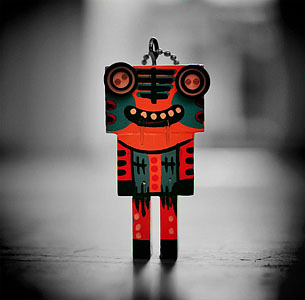 With no doubt, Color Burst™ has some serious issues. Compared to other selective desaturation apps we have reviewed (like, for example,