At users request, Halftone is now a universal app! Thanks to the release of version 1.6, you will be able to fully enjoy your single-panel comics creator also on iPad!
Version 1.6 of Halftone contains a few extras:
Six more paper styles!
Three more stamps!
Other changes include ability to turn off the intro screen and other various bug fixes.
iLabeler is currently on sale. Taking advantage of this special offer, you can get misskiwi’s labeling utility for iPhone for $0.99.
iLabeler adds classic or colored labels to any picture in a few taps. Get creative and use it to display messages or to add captions to your photos and use it in combination with other apps for unusual effects.
iLabeler is a nice expansion to your iPhone photo collection and it comes for a limited time only at -50% from its original price tag.
Bleach Bypass, Fotosyn’s app to recreate skip bleach process on the iPhone, is now version 1.1. Here are all the enhancements coming with the new release:
Thumbnail preview in FX Menu added;
Pre-rendered image for quick effect preview added;
New Muted effect added;
Verve effect revised;
Vignetting quality improved;
Retro border quality improved;
Exposure for Blush, Breeze and Nostalgia effects with no vignetting applied adjusted;
Manual saving of original unedited image enabled;
Memory use for EXIF data improved.
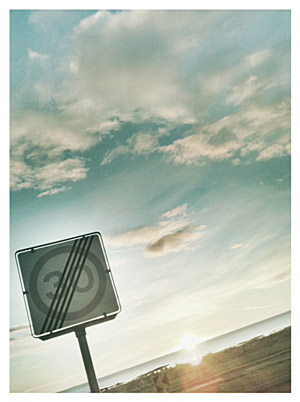
As mentioned, the update adds to Bleach Bypass a new effect called Muted, characterized by intense desaturation. The effect Verve, already included in version 1.0 of the app, underwent a revision and it is now available in a renovated version.
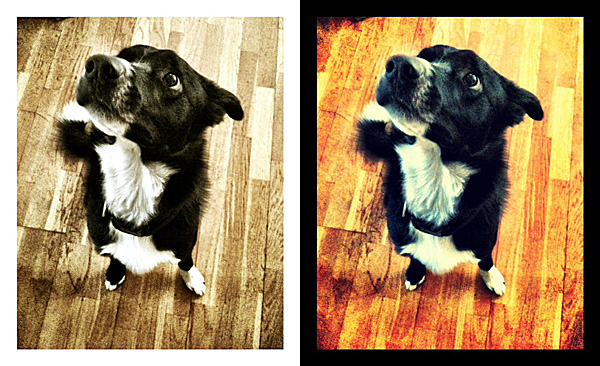
Muted effect with retro border (no vignetting).The revised Verve effect.
Retro Camera Plus 1.0.6 is out now. What are you getting with the new release?
The answer is… a brand new camera!
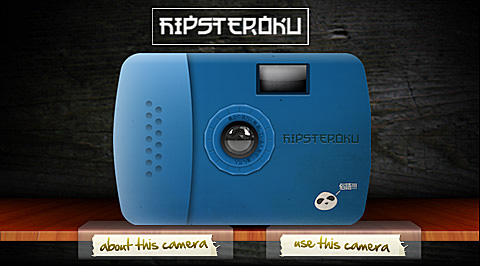
Retro Camera Plus new camera: the Hipsteroku
The Hipsteroku has a blue and rounded plastic body and an overall childish appearance. Photos taken with this camera feature intense leaks, a breezy look and a retro white frame. The Hipsteroku, despite its slightly awkward name, is a cute little companion for your instant photography cravings.
Taken in Retro Camera Plus with Hipsteroku.
Remember that Retro Camera Plus is totally free in the App Store!
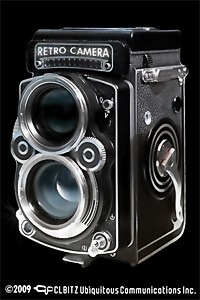
Does anybody remember RetroCamera? Perhaps you don’t, but I do. RetroCamera for iPhone was released a long time ago; although this app looked quite unique at the time of its initial release, it had serious flaws — first of all concerning the output resolution — and thus it soon sank into oblivion.
At long last, it seems RetroCamera’s banishment came to an end. The developer finally released the long-awaited version 2.0, bringing back from limbo an app that since its first days had good potential, but couldn’t pull it off with version 1.0.
Main Features
Full resolution available;
165+ filters;
145+ textures;
60+frames;
15+ noise effects;
Adjust brightness and contrast;
Adjust hue, value and saturation;
Add digital bokeh;
Move, resize and rotate;
Undo/redo;
Send via email or share on Facebook, Twitter, Flickr, Steply;
Forward to supported apps (Dropbox, Camera+, Magic Hour, etc.).
Appotography Opinion
RetroCamera, as you can easily guess, is an app to add an aged, old-fashioned, evocative flair to your photos.
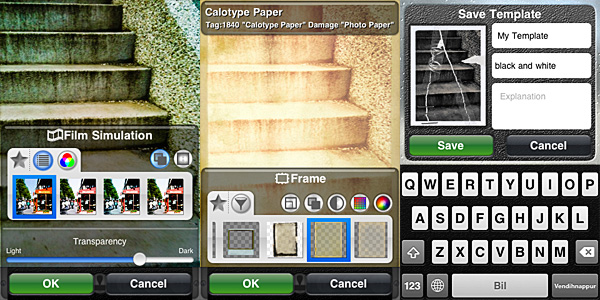
You can both import images from your device or use the built-in camera. As soon as you have your photo loaded into the working space, you can either choose to apply one of the ready-to-use templates or create your effect by combining together several elements, like film simulation, noise, textures and frames or by adjusting different parameters.
The templates that come with the app cover a variety of styles, ranging from instant and lo-fi to outdated photography. You can use them when you simply want a quick one-tap edit. Otherwise, for more control on the final look of your photo, you can go for a more thorough processing.
The film simulation includes a series of filters reproducing the looks of authentic film, from Polaroid to Daguerreotype, passing through Lomo and much more. Given the richness of the collection, films are conveniently arranged into categories (type of filter, brand, etc.); moreover, it’s possible to browse through each category by name and color. The film simulation works a lot like in Film Lab by the same developer, but filters are not exactly the same, so don’t expect a clone.
Other than film simulation, you can add textures, noise and frames. By applying them, you can imitate light leaks, scratched or damaged film, vignetting. You can also use the bokeh feature to digitally recreate depth of field or tiltshift effects or simply to add blur. Other than that, you can rotate and resize, set desired brightness, contrast, saturation, color and so on.
For each element, you can define affected areas and transparency level. You can save your personal combinations as new templates to be used more than once. Not only that: you can filter your image over as many times as you wish. If you make mistakes, you can undo.
Different styles in RetroCamera 2.0 for iPhone.
When saving or sharing, you can decide the image’s orientation. Apart from saving to Camera Roll, you can choose to send photos to online services like Facebook, Flickr and Twitter or, if you prefer, you can forward to other supported apps to keep on working on them.
RetroCamera’s filters are quite well done, though some frames and textures are somewhat overdone or not as flexible — and usable — as the others. The choice is however so vast that they don’t represent a great issue. You can create lists of favorites both for individual elements and for templates for easier browsing. Worth mentioning, the fact the workflow in RetroCamera is a bit less streamlined than that of similar apps and this can lessen your experience as a user. Furthermore, at higher resolutions, processing can take some time.
On the whole, RetroCamera offers plenty of possibilities to photo editing enthusiasts. Especially if you are into old-fashioned looking photography, this app will definitely keep you busy for a while.
Overall
Name: RetroCamera
Developer: CLBITZ Ubiquitous Communications Inc.
Compatibility: iPhone, iPod Touch, iPad. iOS 4.1 or later.
Price: £0.59||$0.99||€0.79
Vote: 4/5
A couple of price drops worth mentioning for all the iPhone/iPod Touch/iPad photographers out there.
The recently released PhotoForge2, the universal app by GhostBird Software, is now 66% off! You will be able to purchase it at the special price of $0.99.
PhotoForge2 is a very complete photo editing app, one of the most complete available in the App Store. PhotoForge2 includes rich collection of tools to properly control every aspect of post-processing: curves, layers, channel mixer, crop and resize, textures and borders, RAW support, and so much more.
Processed in PhotoForge2 for iPhone.
To celebrate the first anniversary of Camera+, the app is now on sale! You can buy it now for $0.99!
Camera+ is one of the most popular photo apps in the App Store. Numbers speak clearly: over 2.5 million copies downloaded and still counting! This app’s fame is very well deserved: Camera+ is one of the easiest and slickest photo utilities on iPhone ever and it comes with everything you need to take, process and share photos in the quickest way possible. If you’re not familiar with Camera+, this is the right occasion to get to know it.
Processed in Camera+ for iPhone.
Both offers are valid only for a very limited time, so enjoy them now!
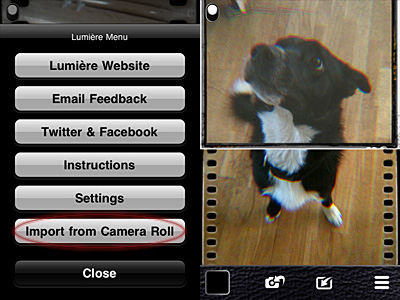
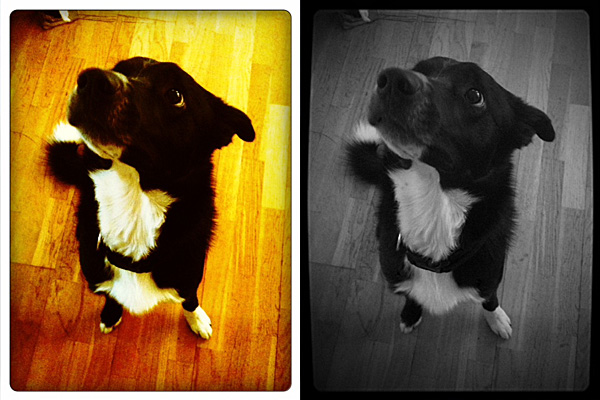
Importing photos from Camera Roll is allowed. You can now use Lumière and its vintage effects on photos you have previously taken with your iPhone.
Lumière 1.3 - Import from Camera RollLumière 1.3 - Apply effects to imported photos.
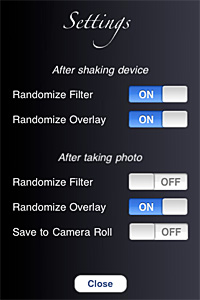
You can also enhance your experience with the new settings. From the Settings screen, you can now decide whether you want to make use of Lumière randomizing features or not. Not only this: you can actually decide which elements and in which instances you want random generation to occur.
Lumière 1.3 - Settings
Last but not least, flash support on iPhone 4 is now enabled.
One of the most amazing photography apps recently released to the App Store gets an amazing update.
With Magic Hour 1.1, Kiwiple brings to their iPhone photo app the awaited full resolution. But this is not all: much more comes with the new release.
Let’s see what’s new in detail.
Added high resolution photo saving option: finally you can save photos taken or processed in Magic Hour at their full resolution
Enabled photo taking in Quiet Mode (works only with standard 640×640 pixels resolution): take photo discreetly without turning off your device volume;
Added custom crop view: more freedom in cropping your photos;
Added sharing to Instagram, Facebook Pages, Posterous;
Added upload to Evernote, Mover Lite, Camera+ and more (on enabled devices only);
Added AirPrint support;
“Always see guides” on/off: keep in-app guide enabled for reference or disable it;
Added curves guildelines;
Other various improvements.
Magic Hour offers a wide range of highly customizable filters.
In our previous review of Magic Hour (you will find our full review of version 1.0 by clicking here) we clearly stated how much we enjoyed this app’s versatility, especially regarding filter creation and sharing in the Filter Market. To sum it up, this was the verdict after the previous evaluation:
Magic Hour combines the features of a camera and those of a simple but effective filter making utility.
And also:
Magic Hour makes taking and editing photos fun and accessible for all photo enthusiasts, including newbies.
And finally:
Give us higher resolution and we will give you a full score.
Kiwiple granted our wish in version 1.1. This is why we are more than happy to keep our promise: Magic Hour now deserves a full score!
PS: Magic Hour is on sale! You can get it for a limited time at $0.99, -50% the regular price!
Slow Shutter Cam by Cogitap for iPhone and iPod Touch allows achieving peculiar blur and light effects that imitate long exposure photography, simply using the camera of your iDevice. Creative people, I am sure, will come up with more than a few ways to take advantage of Slow Shutter Cam’s tools; average users will also find this app can come in handy in very specific circumstances.
Main Features
Full resolution available;
Selectable shutter speed;
Self-timer;
3 shooting modes;
Exposure lock;
Exposure adjustment;
Sensitivity levels adjustment;
Freeze control;
Fullscreen shutter button;
Autosave on/off.
Appotography Opinion
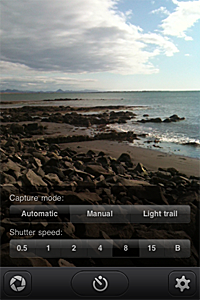
Slow Shutter Cam has three different shooting modes: Automatic, Manual and Light Trail. Each mode serves different purposes.
Automatic equals shutter priority mode in DSLR cameras, but it doesn’t actually control the camera’s shutter. When going Automatic, all you have to do is choosing the duration of each shooting session (that’s what the shutter speed is in Slow Shutter Camera). You have also a bulb mode, to manually terminate the shooting session. Automatic comes in handy especially to create nice blur effects, to suggest motion for example.
Manual mode helps you taking photos under difficult lighting conditions (low light, especially). The exposure can be compensated after the photo is taken and before saving the photo.
Light Trail, as the name says, allows creating the eye-catching trails of light effect. You set shutter speed and sensitivity value (how rapidly the camera sensor captures light) and the app does the rest. Sensitivity adjustment is only available in Light Trail mode. You can enable a live preview for better results.
Using Freeze Control after your images are processed by the software, you can determine which frames in your shooting session have to be emphasized. For even more control, you can lock exposure from the app’s settings, so that the app takes photos with the same exposure values for the whole shooting session.
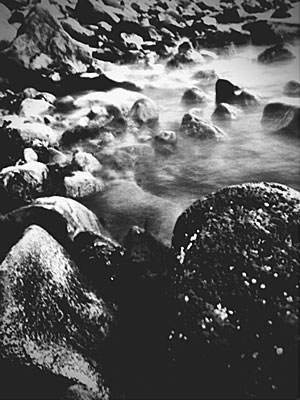
Blurry water effect (desaturated in Monochromia).
Rather than taking actual long exposures, what Slow Shutter Cam achieves is putting together more individual shots via software. The effects thus obtained are quite believable, but of course there are many limitations, especially concerning focus control. Moreover, Slow Shutter Cam lacks any stabilizing feature, which in some instances makes its use without a tripod or other stable support very challenging, if not impossible. Even in presence of a stable surface, shaking aftereffects are hard to avoid. To reduce camera shake, you can enable the Self-timer feature, which anyway only gets rid of shake due to pressure on the shutter button.
PS: Slow Shutter Cam is 50% off its full price for a limited period. You can get it now for $0.99 instead of the regular price of $1.99.
Instagram 1.8.5 hit the App Store a few hours ago. New features are awaiting fans of the popular photo sharing app by Burbn in this latest release, so check them out.
What’s new in Instagram 1.8.5?
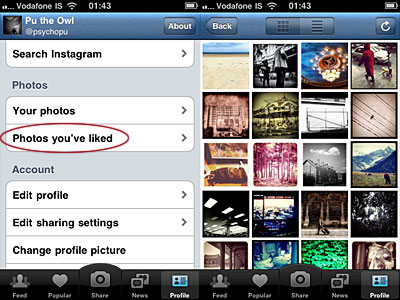
Instagram users now have a summary of photos they have liked, which is accessible from the profile menu panel. Before, faved photos were almost useless to whomever had liked them. Now browsing your liked photos is very easy.
Browse photos you have liked in Instagram.
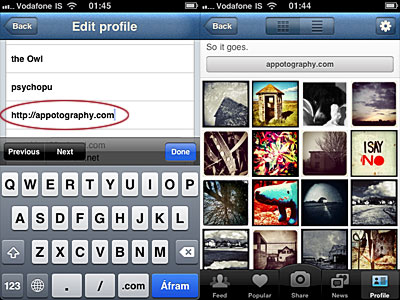
In version 1.8.5 is also possible to add a link to a personal website. To do so, simply input the link in the newly added profile field. A button will appear just above your photos thumbnails in your personal profile. By tapping on it, Safari will be launched and visitors will be redirected to your site.
Add custom website link to Instagram profile.
The last addition of the latest release is the hashtags auto-completion, which makes tagging Instagram entries much smoother.

 At users request, Halftone is now a universal app! Thanks to the release of version 1.6, you will be able to fully enjoy your single-panel comics creator also on iPad!
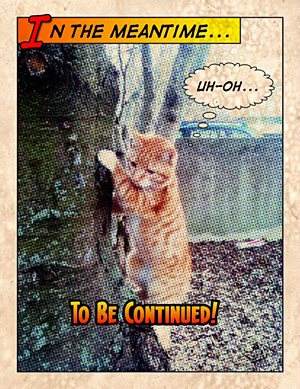 Other changes include ability to turn off the intro screen and other various bug fixes.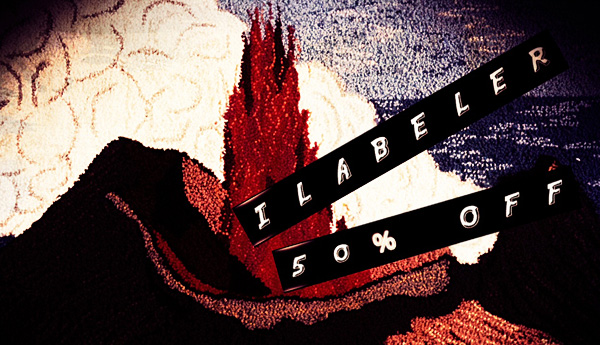
 Bleach Bypass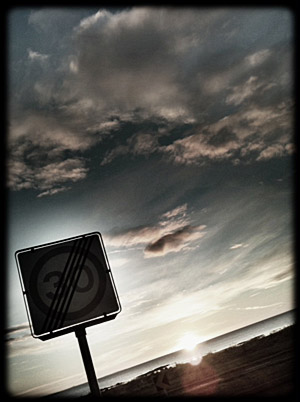
 Other than film simulation, you can add textures, noise and frames. By applying them, you can imitate light leaks, scratched or damaged film, vignetting. You can also use the bokeh feature to digitally recreate depth of field or tiltshift effects or simply to add blur. Other than that, you can rotate and resize, set desired brightness, contrast, saturation, color and so on.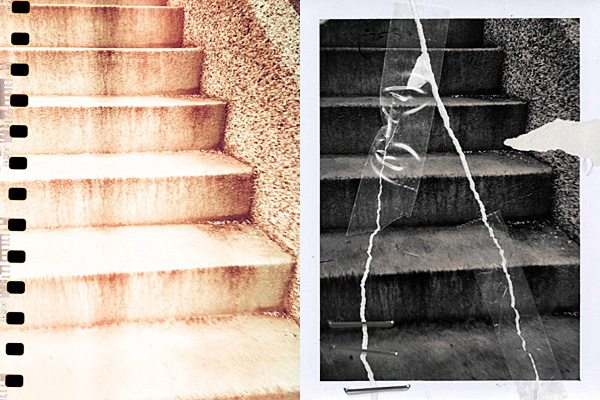

 The recently released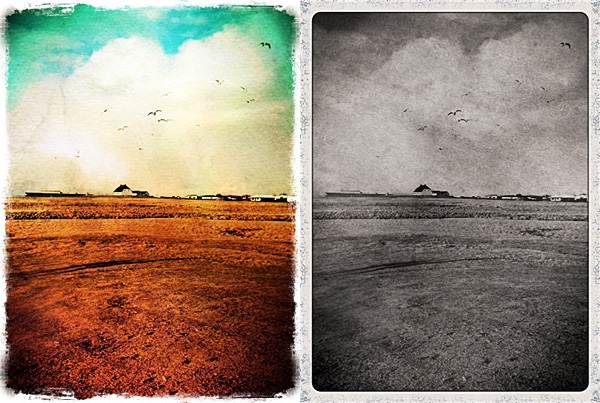
 To celebrate the first anniversary of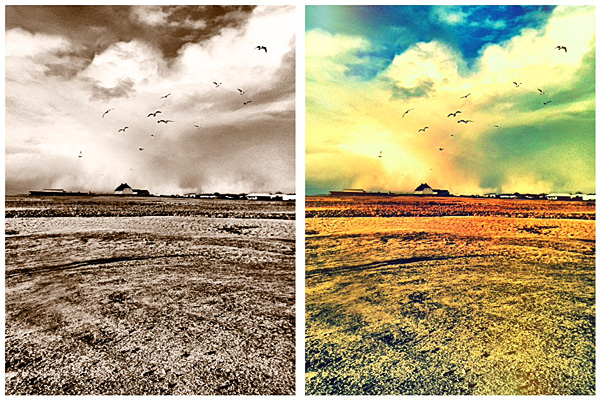
 One of the most amazing photography apps recently released to the App Store gets an amazing update.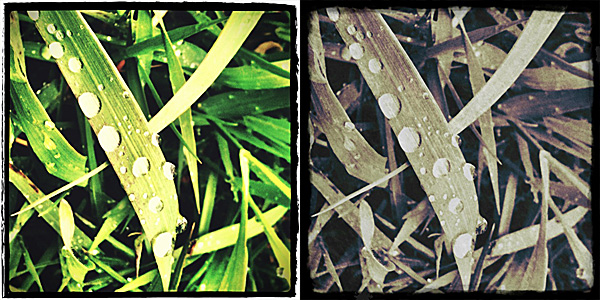
 Manual mode helps you taking photos under difficult lighting conditions (low light, especially). The exposure can be compensated after the photo is taken and before saving the photo.